Showing posts with label computer. Show all posts
Showing posts with label computer. Show all posts
Sunday, 29 July 2018
USB Stick Scam
USB Stick Scams, you don't really want to fall for these, best advise is Don't pick up an unknown USB Stick, or put an unknown USB Stick into your computer it can cause all sorts of problems


Thursday, 10 August 2017
Apollo flight computers
Check out this Interesting Video on How the Apollo flight computers got men to the moon and back
Monday, 8 August 2016
Doctor Watson?
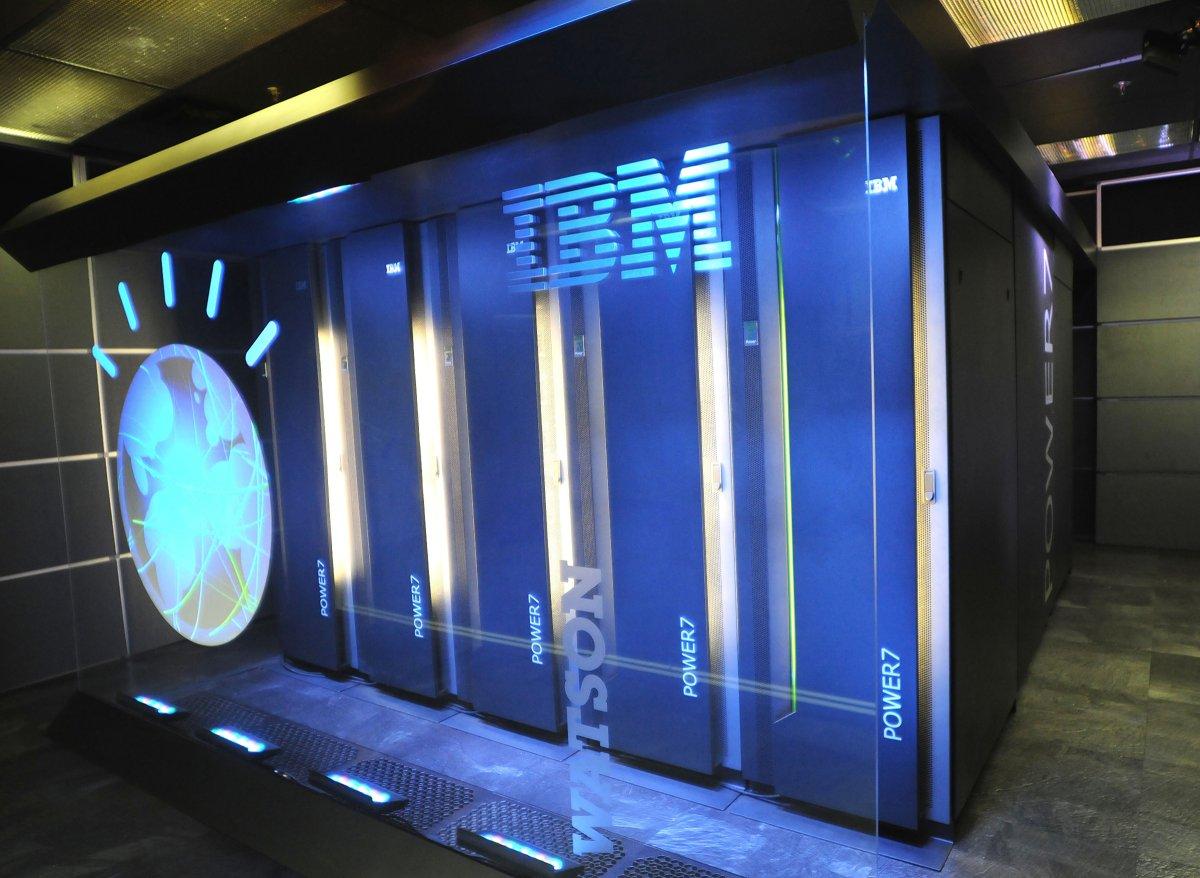
Should I Say Watson supercomputer? or Should I say Doctor Watson now, not to be confused with a character in Sherlock Holmes, recently a computer did what doctors failed to do, a computer identified Unknown illness a Japanese women had, this illness was a rare type of leukemia, the Japanese Doctors were Stumped, until Watson one of the Smallest Super computers the world built by IBM helped them, Watson is famous for going on the USA Quiz show Jeopardy 2011.
http://siliconangle.com/blog/2016/08/05/watson-correctly-diagnoses-woman-after-doctors-were-stumped
"After treatment for a woman suffering from leukemia proved ineffective, a team of Japanese doctors turned to IBM’s Watson for help, which was able to successfully determine that she actually suffered from a different, rare form of leukemia than the doctors had originally believed. Watson managed to make its diagnosis after doctors from the University of Tokyo’s Institute of Medical Science was fed it the patient’s genetic data, which was then compared to information from 20 million oncological studies. This analysis found a different diagnosis for the type of leukemia from which the patient suffered, and it suggested a different form of treatment, which proved far more effective than the original methods doctors had been using up to that point."This is so cool people should the power of Watson more to solve problems that can change the world, this opens a window on to the future where computers help in the diagnosis of illnesses, but I hope Computer don't replace Doctors completely. mote Information
Friday, 22 January 2016
open source laptop
Do you want to build your own laptop well now you can, two Singapore-based engineers made a open source laptop called the Novena this laptop can come already made in a case, or yuor can just buy the hardware and bulid your own case with laser cutting, 3d printers, etc.
On the Ben heck Show on Youtube, he built a laptop using the Novena open source laptop mother board, below is a series of videos of the build, on part 1 of the series there is a interview with the creators of the Novena enjoy
for more information check out the following articles below
http://www.wired.com/2014/04/novena/
https://www.wikiwand.com/en/Novena_(computing_platform)
http://spectrum.ieee.org/consumer-electronics/portable-devices/novena-a-laptop-with-no-secrets
https://www.crowdsupply.com/sutajio-kosagi/novena
for more Ben Heck videos check his youtube channel, he makes of interesting projects
https://www.youtube.com/channel/UChturLXwYxwTOf_5krs0qvA
below is a video about the Novena by the creators of Novena so you can see why they built Novena and what it can do
On the Ben heck Show on Youtube, he built a laptop using the Novena open source laptop mother board, below is a series of videos of the build, on part 1 of the series there is a interview with the creators of the Novena enjoy
for more information check out the following articles below
http://www.wired.com/2014/04/novena/
https://www.wikiwand.com/en/Novena_(computing_platform)
http://spectrum.ieee.org/consumer-electronics/portable-devices/novena-a-laptop-with-no-secrets
https://www.crowdsupply.com/sutajio-kosagi/novena
for more Ben Heck videos check his youtube channel, he makes of interesting projects
https://www.youtube.com/channel/UChturLXwYxwTOf_5krs0qvA
below is a video about the Novena by the creators of Novena so you can see why they built Novena and what it can do
Saturday, 11 April 2015
90s computers and internet
remember those 90s computers how loud they were below is a cool video of the computers bootup sounds to bring back memories
in the below video modern day kids react to old computers, its so funny what they say, the computer in the video is a early 80s late 70s computer, it is interesting how much computers have changed in ten years
below a terrible guide to the internet, its amazing how much technology has changed and how we use computers, it also amazing that people take the internet and computers for granted these days and that so many people in the 90s never used the internet or a computer before
then teens react to the guide above, its so funny what they say
as the people in the react videos said,,i also wonder what people in the future will think of our technology, I also wonder in the next 20-30 years where technology will take us and what it will look like.
it is also interesting that people these days can use things like computers and other technology without really knowing how the computer and other technology really works, this leads to people scamming you, because people don't know how they really work, check out the pc scams that are out there all over the internet, a good idea is for people to find out how their computer works not just use it.
in the below video modern day kids react to old computers, its so funny what they say, the computer in the video is a early 80s late 70s computer, it is interesting how much computers have changed in ten years
below a terrible guide to the internet, its amazing how much technology has changed and how we use computers, it also amazing that people take the internet and computers for granted these days and that so many people in the 90s never used the internet or a computer before
then teens react to the guide above, its so funny what they say
as the people in the react videos said,,i also wonder what people in the future will think of our technology, I also wonder in the next 20-30 years where technology will take us and what it will look like.
it is also interesting that people these days can use things like computers and other technology without really knowing how the computer and other technology really works, this leads to people scamming you, because people don't know how they really work, check out the pc scams that are out there all over the internet, a good idea is for people to find out how their computer works not just use it.
Thursday, 26 March 2015
PC Scammers
if you get a call like this from a person claiming they are from Microsoft or your ISP, they are scammers do not believe them all they want is money and access to your computer where they can download malware or viruses
Tuesday, 21 October 2014
pi-top laptop
have you always wanted to build your own laptop, now here is your chance check out the video below
the laptop is powered from a raspberry pi b+, the latest raspberry pi on the market, the laptop comes in kit form with all the parts needs to build your own laptop. the makers say "No soldering is required to build Pi-Top and a beginner should expect to be able to complete the kit in an evening".
To get one you can go to indiegogo to kit at the moment is $299 until nov 13th https://www.indiegogo.com/projects/pi-top-a-raspberry-pi-laptop-you-build-yourself#home
also check out the website for more details
http://www.pi-top.com/
the laptop is powered from a raspberry pi b+, the latest raspberry pi on the market, the laptop comes in kit form with all the parts needs to build your own laptop. the makers say "No soldering is required to build Pi-Top and a beginner should expect to be able to complete the kit in an evening".
To get one you can go to indiegogo to kit at the moment is $299 until nov 13th https://www.indiegogo.com/projects/pi-top-a-raspberry-pi-laptop-you-build-yourself#home
also check out the website for more details
http://www.pi-top.com/
Sunday, 31 August 2014
TouchPico
Have you always wanted a large touch screen now you can with the TouchPico which Turns Any Surface Into A Touch Screen and at $379 introduction cost $499 retail cost its a fraction of the cost of a dedicated touch screen which could cost 1,000s of dollars, plus you even have a Android pc thrown into the package check out the video below.
for more information, to buy and sponsor product check out
https://www.indiegogo.com/projects/touchpico-turn-any-surface-into-a-touch-screen/contributions/new?perk_amt=379&perk_id=2280017
for more information, to buy and sponsor product check out
https://www.indiegogo.com/projects/touchpico-turn-any-surface-into-a-touch-screen/contributions/new?perk_amt=379&perk_id=2280017
Thursday, 8 May 2014
worlds smallest supercomputer
the computer below is the smallest supercomputer on the market and is called the Jetson TK1 by NVIDIA and at $192 one of the cheapest, the computer was designed graphics processing and parallel processing, it can be used for applications such as robotics and image processing and unlike other supercomputers it is portable so it does not need a lot of power to use it.
other information about this subject
other information about this subject
Friday, 27 September 2013
happy birthday Google
Happy Birthday to Google who is 15 today

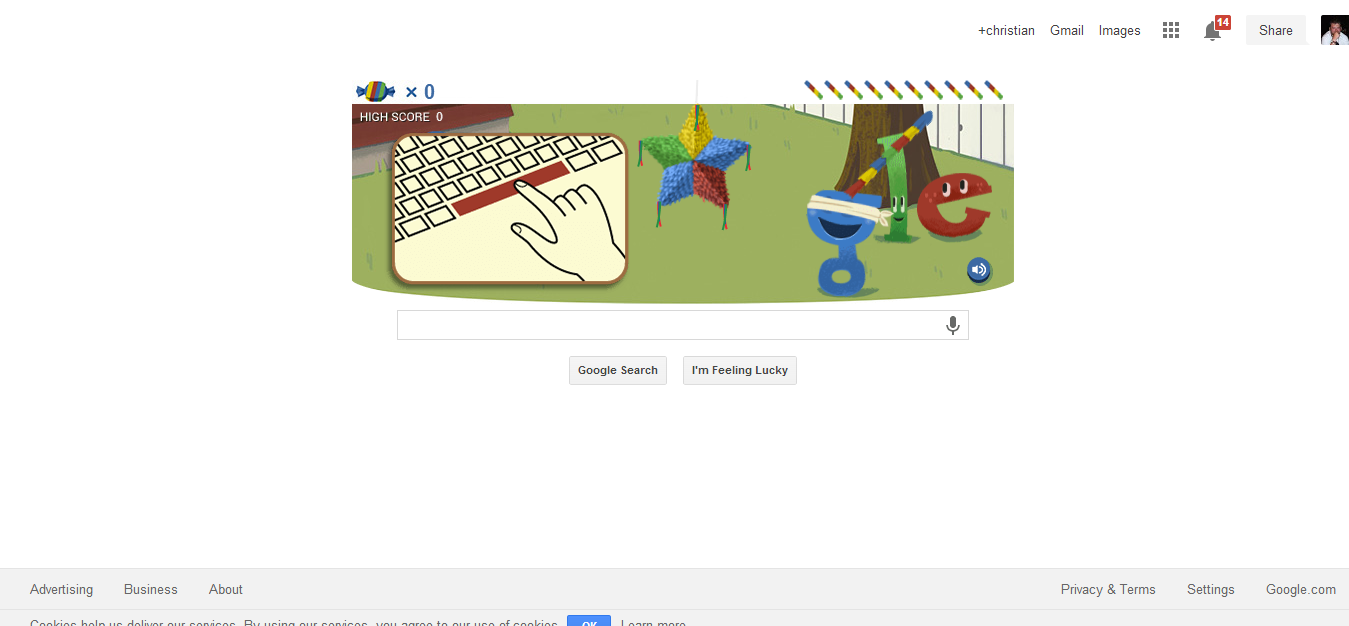
for their birthday Google has decided to put a game on their Google Doodle in the style of a Piñata game


for more please follow the link below
http://www.telegraph.co.uk/technology/google/10338864/Google-Birthday-Pinata-Doodle-and-Hummingbird-search-algorithm-update.html

for their birthday Google has decided to put a game on their Google Doodle in the style of a Piñata game

for more please follow the link below
http://www.telegraph.co.uk/technology/google/10338864/Google-Birthday-Pinata-Doodle-and-Hummingbird-search-algorithm-update.html
Tuesday, 24 September 2013
Antikythera Machine
If you think computers is a new thing, you could be wrong the ancient greeks had them too and was called The Antikythera Machine and is now housed in the National Archaeological Museum of Athens after it was discovered in 1979, up to now people did not know what it was for, but modern x-ray technics showed how the device was built so, people could rebuild it.
The Antikythera Machine, is now believed to be a ancient computer system made by the greeks for astronomy. Professor Michael Edmunds of Cardiff University, who led a 2006 study of the mechanism, said
The Antikythera Machine, is now believed to be a ancient computer system made by the greeks for astronomy. Professor Michael Edmunds of Cardiff University, who led a 2006 study of the mechanism, said
"This device is just extraordinary, the only thing of its kind. The design is beautiful, the astronomy is exactly right. The way the mechanics are designed just makes your jaw drop. Whoever has done this has done it extremely carefully ... in terms of historic and scarcity value, I have to regard this mechanism as being more valuable than the Mona Lisa."check out the videos and the links below below for more information
Thursday, 7 March 2013
a look at Google glass
below is a cool look at google glass.
Google glass is a wearable computer by Google which has the ability to capture the world as you see it in real time and share it to anyone you want.
Google glass is like a head up display in a fighter aircraft, which can present information such as directions how to get somewhere right in front of you, superimposed on the real world.
It gives you all the information you need such as translations, flight times etc either on the display or in your ear without the device getting in the way of your life, or without people knowing what you are doing.
below is a quote from Google about Google glass
more infomation
Google glass is a wearable computer by Google which has the ability to capture the world as you see it in real time and share it to anyone you want.
Google glass is like a head up display in a fighter aircraft, which can present information such as directions how to get somewhere right in front of you, superimposed on the real world.
It gives you all the information you need such as translations, flight times etc either on the display or in your ear without the device getting in the way of your life, or without people knowing what you are doing.
below is a quote from Google about Google glass
"We started Project Glass to build technology that’s seamless, beautiful and empowering. To share the world through your eyes. To get answers and updates, instantly. To be there when you need it, and out of your way when you don’t."
more infomation
Friday, 4 January 2013
Minority Report-Style Gestures will be possible soon
ever wanted to use a computer like they did on Minority report, well here is your chance, Asus and leap motion are bringing out a device, that will bring the ability to control your computer with hand Gestures
the device will come with asus all-in-ones and laptops soon, and can be used with windows 8, check out this quote from the wired website
this can be found at http://www.wired.com/gadgetlab/2013/01/leap-motion-asus/?utm_source=tumblr&utm_medium=socialmedia&utm_campaign=tumblrclickthru
the device will come with asus all-in-ones and laptops soon, and can be used with windows 8, check out this quote from the wired website
"Imagine a Microsoft Kinect on steroids and you have a good idea of how Leap Motion works. The motion controller tracks in-air movement to 1/100th of a millimeter. But instead of watching you dance, the Leap creates 8 cubic feet of 3-D space that is recreated on the computer and can be interacted with via hands, pens or random objects you find lying around your home.
One of the more intriguing aspects of the Leap Motion on a Windows 8 machine is that the Live Tiles can be manipulated without having to touch a computer’s display. CEO and co-founder Michael Buckwald told Wired, “In terms of the basic Windows 8 control experience, Leap can provide a better experience than a touchscreen.
The Leap Motion will ship Windows 8 and OS X ready. Support for ARM devices including smartphones and tablets will be available in the future."
this can be found at http://www.wired.com/gadgetlab/2013/01/leap-motion-asus/?utm_source=tumblr&utm_medium=socialmedia&utm_campaign=tumblrclickthru
Saturday, 8 December 2012
Friday, 22 June 2012
Alan Turing google Doodle

"Alan Turing, the scientist most famous for his work cracking the German Enigma code, has been honoured with a Google doodle. Photograph: Google"http://www.guardian.co.uk/science/2012/jun/23/alan-turing-honoured-google-doodle
more on Alan Turing
http://en.wikipedia.org/wiki/Alan_Turing
Monday, 6 February 2012
Android in Fridge
the videos below shows you can even get Android in a Fridge
the below links gives you more information about the fridge
the below links gives you more information about the fridge
Monday, 30 January 2012
Robot Anthropology and Virtual Einstein
a interesting talk about robotics and technology by Mal Fletcher
for more talks by Mal Fletcher 2020Plus.net
for more talks by Mal Fletcher 2020Plus.net
Friday, 6 January 2012
computer on a stick
the computer on a stick or "cotton candy" to call it by the right name, is by Norwegian company FXI, and is one small computer, that could turn every screen in your house into a cloud computer. this computer can run either Android or Linux. the computer is not out yet but should be out mid 2012
from fxi company web site http://www.fxitech.com/
Benefits
- Provide consumer-friendly access to the Cloud
- Accelerate the adoption of “smart screens”
- Extend the life of consumer hardware like laptops, monitors, TVs, set top boxes, tablets and more by accessing the latest OS, software and apps.
- Provide a consistent experience across all screens
- Create a single point of content storage.
- Consolidation and organization of personal digital content.
- Share media from mobile devices on large screens and projectors – videos, movies, photos, games and more.
Spec Quad Core ARM® Mali™-400MP Graphics Processing Unit
- Drive down the cost of computing, allowing more people to have a personal, secure computer.
-Quad-core ARM Mali-400MP 720p / 1080p OpenGL ES v2.0
-30M Polygons, 1.2 GPixels / s
ARM® Cortex™-A9@1.2GHz
-NEON extensions
-TrustZone extensions
Connectivity-Wifi 802.11 b/g/n
-Bluetooth 2.1 + EDR
Memory -1GB DRAM
-Up to 64GB memory local storage (microSD)
Software-Android
-Ubuntu
-Virtualization client for Windows, Linux, Mac, embedded
Video / Audio / Media Support-480p/720p/1080p decode of MPEG4-SP/H.263/H.264 AVC/MPEG-2/VC1
-MP3, AAC, AAC+, Real Audio
-JPG, GIF, BMP, PNG
-Additional video, audio and image formats can be supported through 3rd party codecs
Connectors-USB 2.0 male form factor for power and connection to devices that supports USB mass storage
-HDMI 2.1 with audio for connection to devices that does not support USB mass storage
more on the computer and the company that built it
Friday, 23 September 2011
Jim Henson Google picture

love the interactive Jim Henson Google picture, for Jim Henson's 75th birthday, for those that don’t know who Jim Henson is or was please follow the below link
Jim Henson best known as the creator of The Muppets. As a puppeteer, Henson performed in various television programs, such as Sesame Street and The Muppet Show, films such as The Muppet Movie and The Great Muppet Caper, and creator of advanced puppets for projects like Fraggle Rock, The Dark Crystal, and Labyrinth.
(this was found on google.com page 24 sep 2011)
Saturday, 2 July 2011
Learning difficulties and computers
Abstract
Sound and word processors are used a lot in most modern computer systems but how can these help the person with Dyslexia or Dyspraxia? This report sets out to answer this question and can these two technologies be used together to help even more, this report sets out to answer this question also.
The author of this report has Dyspraxia with cross over Dyslexia and is a kind of personnel journey into this subject from someone who has it
Introduction
This report set out to find out what is Dyslexia or Dyspraxia and how word processors can help people with this problem, this report is also about sound processors and how to link these to word processors to help the person with Dyslexia or Dyspraxia to read.
This report also about sound in the classroom and what is the disadvantage of using sound in the classroom.
What is Dyslexia and Dyspraxia?
To find out how computers help we must find out what dyslexia is according to the Dyslexia Institute
http://www.dyslexia-inst.org.uk last accessed 29th Nov 2005
“Dyslexia is a specific learning difficulty that hinders the learning of literacy skills. This problem with managing verbal codes in memory is neurologically based and tends to run in families. Other symbolic systems, such as mathematics and musical notation, can also be affected.”
Having said this, the condition is not widely known and a lot of debate has happened over this problem, people with this problem have a different level a intelligence between language skills such as spelling or reading and other skills, they may also find skills such as maths, knowing the difference between left or right, organisation, reading, knowing how to say words and putting things into order, they may find they have short term memory problems.
http://www.dyspraxiafoundation.org.uk/ last accessed 1st Dec 2005.
“Dyspraxia is generally recognised to be an impairment or immaturity of the organisation of movement. Associated with this may be problems of language, perception and thought. Other names for dyspraxic include Clumsy Child Syndrome; Developmental Co-ordination Disorder (DCD); Minimal Brain Dysfunction: Motor learning Difficulty; and Pereceptuo-motor Dysfunction. Problems include”
Another condition in people with this condition is poor hand writing and so word processors can help in this area, they also may have problems with reading, listening and reading..
Word processors
Word processors can help the person with Dyslexia or Dyspraxia a lot in this section we going to look how word processors can help.
People with Dyslexia can be helped by word processors because word processors have spell checkers and grammar checkers that are helpful to the person with Dyslexia, also people with Dyspraxia have poor hand writing which makes word processors good tools in the hands of the person with Dyslexia or Dyspraxia.
Having said this some word processors use America English for example spell colour, “color” which is not helpful to the person which this condition, but most now give you the choice of UK or American english.
In the journal “An empirical investigation of ways in which some of the problems encountered by some dyslexics may be alleviated using computer techniques by Gregor, P.; Newell, A.F 2000 outlines how word processors can help and the problems people with Dyslexia have, it also introduces SeeWord processing environment discussed later in this report.
The journal states that the author did a experiment about if changing the colour of text and backgrounds help people with Dyslexia the results show that the people tested could read the words better, this means that changing colour of the display and the ability to take text in using ocr (optical Character recognition are useful ability found on most word processors and should not be overlooked when helping the person with Dyslexia as they can help the person with this condition to read as it makes the words stand out and so easier to read.
There are on the market more powerful word processors such as Co:writer which is useful to the person with Dyslexia, Co:writer is a Predictive word processor that Predicts what the word is as it is being entered from a large database or dictionary of words, it also can tell if the word should not be there as the next word and does not offer that as a choice or does not put it in.
Sound and the person with Dyslexia or Dyspraxia
In this section we are going to talk on how sound processors can improve word processors for the person with Dyslexia or Dyspraxia and why it is important
If you look at any computer these days they have the ability to produce sound in some way or other but the sound quality is not that good as computers sometimes sound like robots when they speak, they do not have natural speech that sound like a human at present, unless you use expensive systems such as Realspeak made by Nuance Communications, Realspeak is a powerful natural voice processor that can sound like a male or female, used in applications such in-car navigation systems to screen readers, you can also download voices that you what to use in the system, but even if you have this powerful technology, the computer will find it difficult to read documents with lots of spelling mistakes.
Having said this computers that read aloud may help the person with dyslexia, as reading aloud does help the person with Dyslexia or Dyspraxia because it shows the child or adult how the word should be said.
In the journal “speech perceptual abilities of children with specific reading difficulty (dyslexia)” by Valerie Hazan and Alan Adlard 1996, found that some children with dyslexia have problems with reading, after reading this journal computers that read could help some people with dyslexia, but having said this the journal also says that some of the children tested had also hearing difficulties, this means some people who had dyslexia would not be helped using computer software that reads documents.
In the journal SeeWord—a personal word processing environment for dyslexic computer users by Peter Gregor et al 2003, outlines how sound are used in this personnel environment, this software can be added to the Microsoft Word for Windows environments and helps by reading the text on the screen this helps the person with punctuation which gives the people with dyslexia how the word sounds, it also helps the person with dyslexia how to spell words as people with dyslexia find spelling words hard the user of this software can change how the texts looks on the screen and change other text with these settings.
The journal also says that they did an experiment using this software and that people who used the environment performed better. Looking at the evidence reported in this journal people using this software can be helped by providing reading and writing ability’s in 2003 this software was a prototype, when the software comes out it could help a lot of people but it will all to do with the cost as if the software is expensive schools will have to think the benefits over the cost as would the home user of the software.
Another way in which sound can help is in speech recognition software in the journal “Speech Technology: A Solution for People with Disabilities” by Norma Conn and Michael McTear 2000, says that people can be helped by using speech as they do not need to use keyboards which can be hard for some users and by using the software people with Disabilities such as dyslexia they deliver a better quality of work as they don’t have to think about spelling or using a keyboard which makes computers accessible to non computer users.
This is good idea in considering how to help people with Dyslexia or Dyspraxia as people with these conditions have high verbal ability and using speech recognition may help in getting their ideas and thoughts on to paper, by having said this you need to speak clearly and train the software to your voice which will make multi user environments such as schools hard to introduce, as you have to train the software to each users voice, also in noisy environment such as classrooms this technology is hard to use.
Another thing to think about is that speech recognition software is expensive and some people may not be able to afford it even if it helps the person, also you may not be able to use the technology to write confidential documents because people can hear you, this means you may have to use other help technologies available.
Sound in the classroom
These days there are a lot of education software that reads text from a word processor but are these good ideas in the classroom such as Texthelp.
In the book “Computers and dyslexia: educational applications of new technology” edited by Chris Singleton in 1994, Chris singleton writes an essay outlining the difficulties of using sound in the classroom, the difficulties he outlines are that sound could disrupt the class of children and if the child uses headphones the child could not hear a teacher if the teacher talks to them.
But these days this can be overcome by using teacher/student control systems in the classroom such as the systems from classnet or Research Machines, that even if the child is using headphones the teacher can still talk to the child using a microphone attached to the teacher’s computer and the sound comes out of the student’s computer, with these classroom systems the teacher can also control and monitor the students computers, but these systems are expensive and many schools may not be able to buy them but may be idea for schools getting new computer equipment for the first time to buy as a package as it may be cheaper from companies such as Research Machines as this company provides a whole education computer package for schools. The picture below from the classnet website gives an example of this technology.
Conclusion
The finding of this report are word processor can help the person with learning difficulties such as Dyslexia or Dyspraxia to carry out everyday writing tasks and in some cases to read also the Predictive word processor can also help the person with learning difficulties.
It has also found that computer software that reads and speech recognition software also help people with these conditions, but in the environment of the classroom it may be difficult to use unless you spend money on other equipment which may be expensive
As to, is it better to mixed these technology to help people with learning better, this would need to be tested which is not possible in the scope of this report.
Reference and Further reading
Gregor, P.; Newell, A.F. (2000) An empirical investigation of ways in which some of the problems encountered by some dyslexics may be alleviated using computer techniques. Annual ACM Conference on Assistive Technologies, Proceedings Pages (p 85-91)
Gregor, Peter et al (2003) SeeWord - A personal word processing environment for dyslexic computer users. British Journal of Educational Technology, Volume: v 34 Issue(3),Pages (p 341-355).
Hazan, V.; Adlard, A.; (1996) Speech perceptual abilities of children with specific reading difficulty (dyslexia). Spoken Language, 1996. ICSLP 96. Proceedings, Fourth International Conference, Volume 1 Pages (p165 – 168)
Conn, N.; McTear, M.; (2000) Speech technology: a solution for people with disabilities. IEE Seminar on Speech and Language Processing for Disabled and Elderly People, Pages (p7/1 - 7/6.).
Chris Singleton (editor)(1994) Computers and dyslexia : educational applications of new technology, Published by Hull: Dyslexia Computer Resource Centre
Dr Amanda Kirby (1999) Dyspraxia: Developmental co-ordination Disorder
Published by souvenir press
British Dyslexia Association (BDA)
[internet] http://www.bda-dyslexia.org.uk
The Dyslexia Institute
[internet] http://www.dyslexia-inst.org.uk
Classnet - Interactive Training Room Control System
[internet] http://www.keyzone.com/classnet/classnet.htm
Research machines
[internet] http://www.rm.com
Dyspraxia foundation
[internet] http://www.dyspraxiafoundation.org.uk/
Working Together: Computers and People with Learning Disabilities
[pdf document] University of Washington
http://www.washington.edu/doit/
Helen Arkell Dyslexia Centre
[internet] http://www.arkellcentre.org.uk
ICT advise for teachers
[internet] http://www.ictadvice.org.uk/
BrightEye Technology (Texthelp)
[internet] http://www.brighteye.com/
Nuance Communications, Inc (Realspeak)
[internet] http://www.nuance.com/realspeak/
Dylexia the miracle cure
By Wynford dore, Published by john Blake publishes in 2006
The Gift of Dyslexia: Why Some of the Brightest People Can't Read and How They Can Learn, By Ronald D. Davis, Published by Souvenir Press Ltd 1997
Dyslexia and Information and Communications Technology: A Guide for Teachers and Parents (Paperback) by Anita Keates, Published by David Fulton Publishers Ltd 2002
A Practical Guide to Dyslexia
by Jean Blight Published by Egon Publishers Ltd 1985
Subscribe to:
Posts (Atom)